
Adding Social Content to a Website — Lessons From Reddit
Reddit users often ask the same practical question marketers face offline: how do you add social content to a website without heavy custom development, plugins that break, or manual copy-and-paste every week? The short answer is a social media feed—an embeddable wall that pulls in posts from Instagram, Facebook, YouTube, TikTok, X, LinkedIn, Google Reviews, and more.
This guide covers why a social media feed belongs on your website, how to add one with SocialMatix, and the FAQs that come up most often for marketers and agencies.
Why add a social media feed to your website?
Your best social content already exists on Instagram, TikTok, Facebook, and other channels. Leaving it only on those platforms means visitors who never follow you still miss the proof, culture, and momentum that social posts create.
-
Keep your site feeling current. A live feed updates as new posts are approved, so homepages and campaign pages stay fresh without constant CMS edits.
-
Build trust with social proof. Customer photos, brand updates, reviews, and UGC help visitors see real activity around your product or service.
-
Support conversions near decision points. Feeds on product pages, landing pages, and about pages reduce hesitation by showing peer and brand activity together.
-
Show multi-platform activity in one place. Instead of separate Instagram and YouTube widgets, one feed can combine channels into a single branded wall.
-
Stay in control with moderation. Aggregated feeds let you approve, hide, or pin posts before they appear publicly—something native embeds rarely offer.
In short: a social media feed turns scattered social activity into website-ready content your visitors can see without leaving the page.
How to add a social media feed to your website (using SocialMatix)
SocialMatix is a free-to-start social media aggregator. You connect sources, customize a layout, publish a feed, and paste one embed snippet into your website builder or CMS.
What you will need
A website where you can paste HTML (WordPress, Squarespace, Webflow, Shopify, Wix, or a custom site).
A free SocialMatix account.
At least one social source you want to display (for example Instagram, Facebook, YouTube, or Google Reviews).
Step 1: Create your feed
Sign up for SocialMatix and create a new feed for your website or campaign.
-
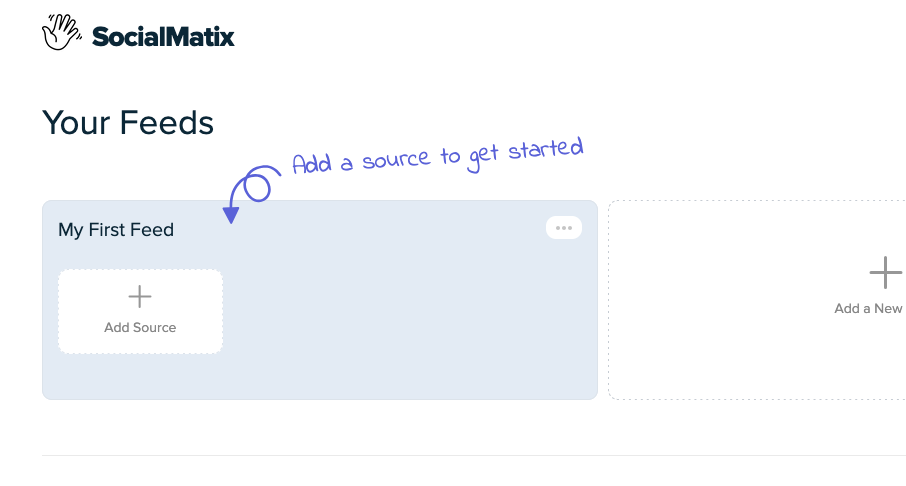
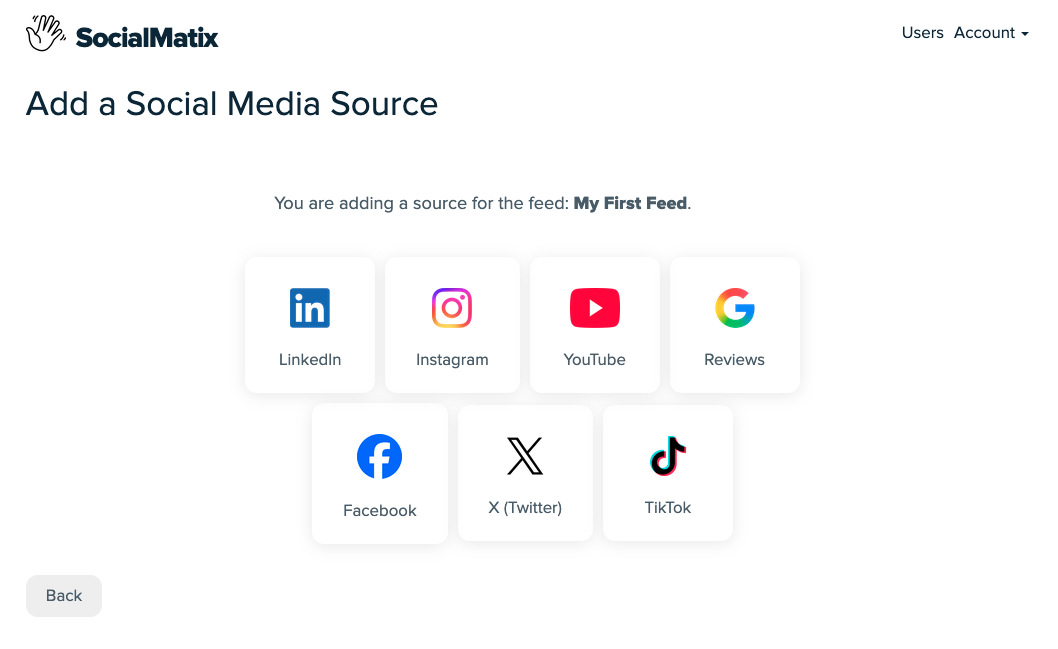
Click Add Source and connect the accounts, Pages, channels, hashtags, or review venues you want to include.
Step 2: Customize and moderate
-
Choose a layout (grid, image grid, carousel, hopscotch, or list) and match colors and spacing to your brand.

-
Review posts and hide anything off-brand. On paid plans, use post moderation, editing, and pinning for tighter control.
Step 3: Publish and copy your embed code
Click Publish (top right).
Copy the full embed snippet—both the container div and the script tag.
Your embed snippet will look similar to this:
<div id="social-wall"></div>
<script src="https://..." async data-feed="YOUR_FEED_KEY" data-api-base="https://..."></script>

Step 4: Paste the feed into your website
WordPress: use a Custom HTML block (not the Code block).
Squarespace: use a Code block (typically Business plan or higher).
Webflow, Shopify, Wix: use a custom HTML / embed element.
Custom sites: paste the snippet into your page template or HTML section.
Save and publish, then preview on desktop and mobile. Your feed will continue updating as new posts are imported and approved—no need to re-paste the code for every new post.
Related articles
Social Proof Aggregation: Why It Increases Conversions and How to Set It Up
How to quickly Embed Instagram on your website (plus free tools)
Frequently asked questions
Why do people recommend adding a social feed instead of native embeds?
Native embeds usually show one post or one platform at a time and offer little moderation. A social media aggregator combines multiple sources, keeps content updating, and lets you control what appears on your site.
Do I need a developer to add a social media feed?
No. With SocialMatix you copy one embed snippet and paste it into a Custom HTML / Code / embed block. No custom development is required for standard website setups.
Which platforms can I include?
SocialMatix supports Instagram, YouTube, Facebook, X (Twitter), TikTok, LinkedIn, and Google Reviews. You can mix sources in one feed, subject to your plan’s source limits.
Will a social media feed slow down my website?
SocialMatix embeds load asynchronously, which helps limit impact on initial page load. For performance-sensitive pages, place the feed below the fold and test after publishing.
Can I moderate what appears?
Yes. Review and hide posts before or after they appear. Post moderation, editing, and pinning are available on paid SocialMatix plans.
Is there a free way to start?
Yes. The SocialMatix free plan includes 3 sources, up to 1,000 posts, daily content refresh, and 2,000 views per month—enough to launch a first feed and test it on a live page.
Where should I place the feed on my site?
Common placements include the homepage, product or service pages, campaign landing pages, about pages, and event pages. Put the feed near the goal of the page—trust, conversion, or community—so it supports that outcome.
Final takeaway
Adding social content to a website does not have to mean rebuilding native embeds for every platform. Create a feed in SocialMatix, publish it, and paste one snippet into your site. You get a moderated, multi-platform social wall that keeps your pages current and credible.
Ready to try it? Sign up for SocialMatix free and embed your first social media feed in minutes.