
Social Media Feed on Website Examples and Best Practices
Embedding a social media feed on your website is one of the most effective ways to keep pages fresh, showcase real community content, and build trust without sending visitors off to Instagram, Facebook, or TikTok. The best implementations feel native to the site—they match the brand design, support a clear page goal, and surface content that audiences actually want to see.
In this guide, we break down inspiring social media feed examples from different industries, explain what makes them work, and share practical best practices you can apply with SocialMatix on your own site.
Why embed a social media feed on your website?
Keep your website current with content that updates automatically from social channels.
Show user-generated content and campaign activity as credible social proof.
Encourage participation by making community posts visible where your audience already is.
Reduce manual CMS work—no copying posts one by one into your site.
Strengthen engagement across campaigns, communities, alumni pages, and brand storytelling hubs.
How to embed a social media feed on a website
SocialMatix feeds are responsive and straightforward to embed. The typical workflow looks like this:
Create a free SocialMatix account and set up a feed for your project.
Connect your social sources—accounts, Pages, hashtags, channels, or reviews.
Customize the layout and colors to match your website design.
Click Publish and copy the embed snippet.
Paste the code into your CMS or website builder (WordPress Custom HTML, Squarespace Code block, Webflow, Shopify, and more).
For platform-specific steps, see our guides for WordPress and Squarespace.
Social feed website embed examples
Below are four strong examples of brands and organizations using embedded social feeds to support campaigns, communities, and long-term engagement. Each takes a different approach depending on industry and audience—but all use social content to make their websites more dynamic and credible.
Technology & sports: GoPro Snow Challenge
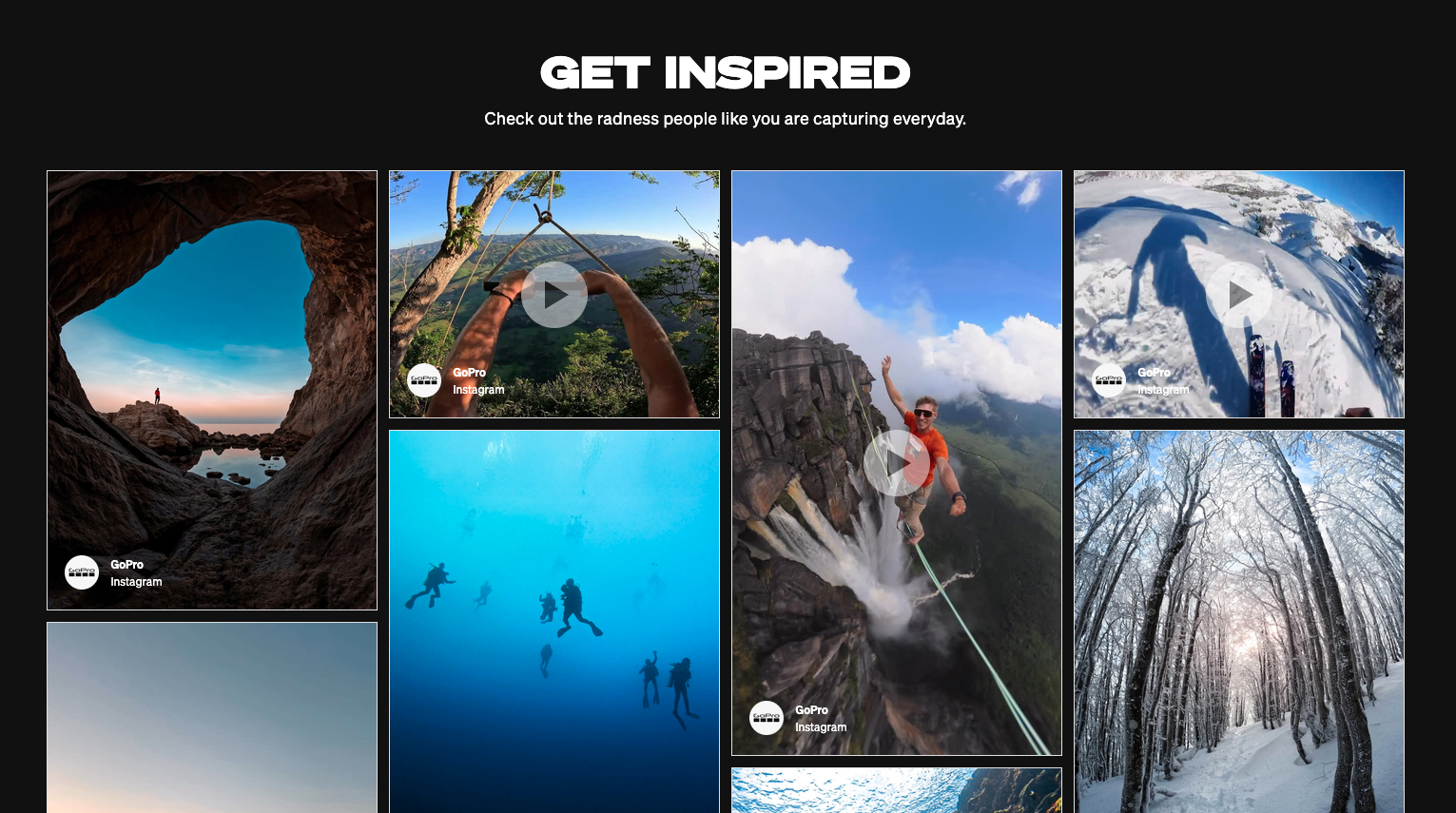
GoPro's Snow Challenge is a campaign page built around user-generated content. Rather than relying on static hero images alone, GoPro surfaces real footage and photos from its community—turning customer creativity into the centerpiece of the experience.
Why it works: The feed reinforces GoPro's brand promise (capture your world) with authentic content from real users. Visitors see what is possible with the product, which is far more persuasive than polished marketing copy alone. A hashtag-driven campaign page like this also gives participants a reason to post—and a place to see their content featured.
Takeaway for your site: Campaign landing pages are ideal for hashtag-based social feeds. Pair a clear call to action with a live wall of submissions to keep momentum high throughout the promotion.
Source: gopro.com/en/us/awards/goprosnow
Education: Cambridge English Teacher Community
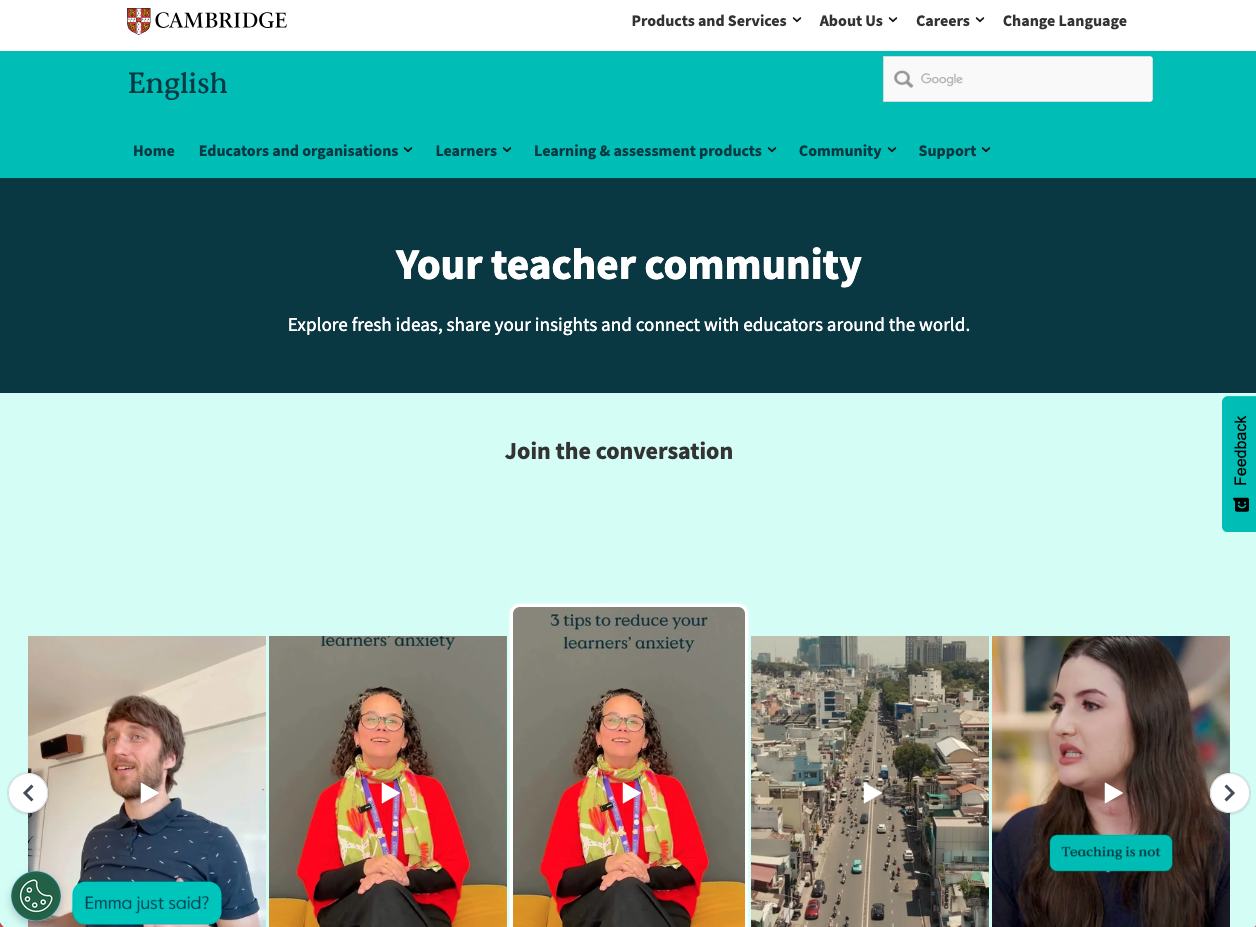
The Cambridge English Teacher Community uses social content to support an ongoing professional community—not just one-off marketing. The page gives educators a hub where they can stay connected, discover resources, and see activity from peers in the field.
Why it works: Education brands succeed when they build belonging, not just broadcast announcements. Embedding social content on a community page makes the experience feel active and current. Teachers see that others are participating, which lowers the barrier to engagement and helps the community grow organically.
Takeaway for your site: Community and resource pages benefit from feeds that highlight peer content, event updates, and shared stories—not only official brand posts.
Source: cambridgeenglish.org/teacher-community
Education & alumni engagement: Boston University Alumni
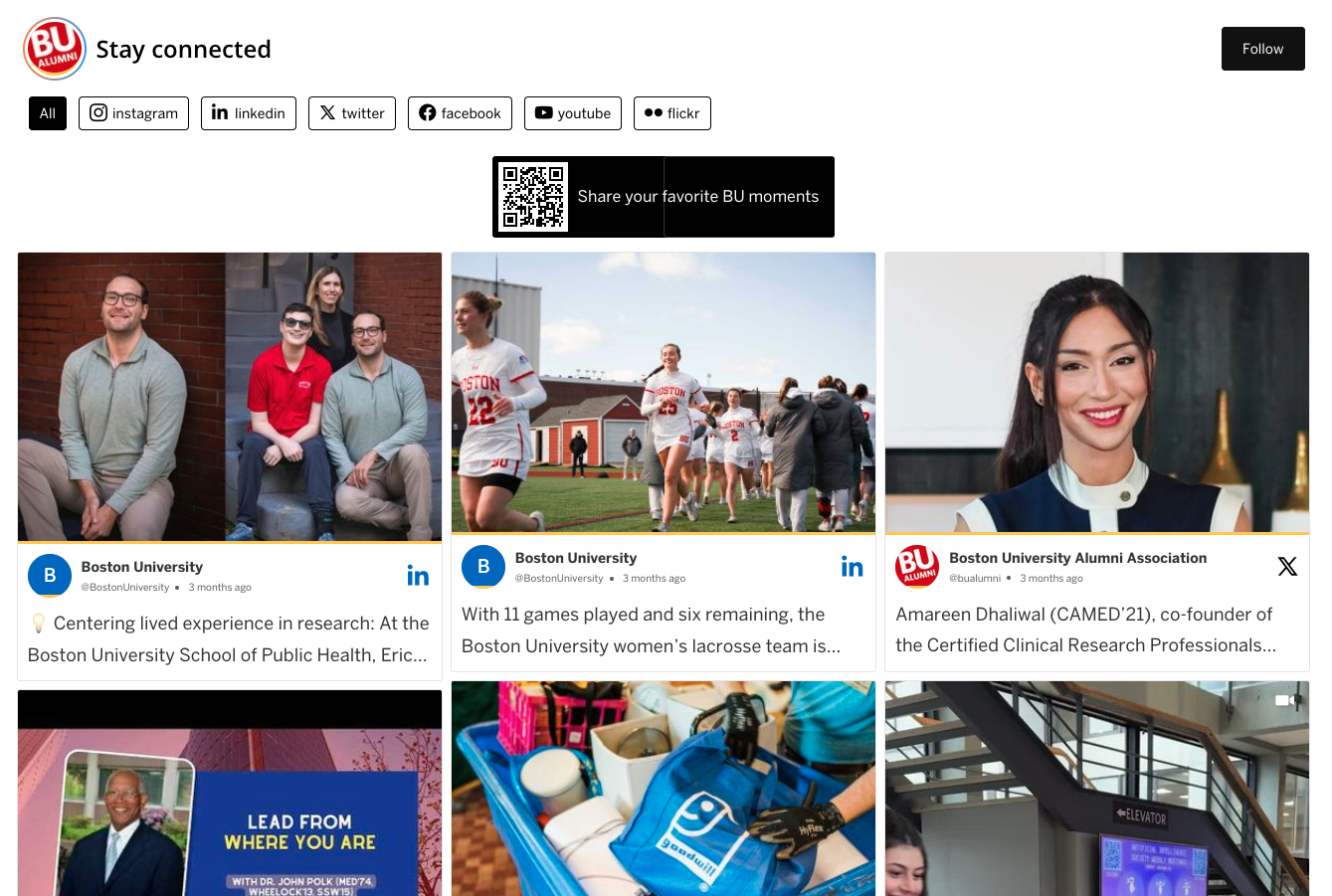
Boston University's alumni page demonstrates how higher education institutions use social feeds to keep graduates connected long after they leave campus. Alumni pages need to feel alive—showing that the network is active, achievements are celebrated, and the community still matters.
Why it works: Alumni engagement depends on visibility. When graduates see posts from peers, university milestones, and event activity in one place, they are more likely to stay involved. A social feed turns a static alumni section into a living snapshot of the community.
Takeaway for your site: Alumni, membership, and community pages are strong placements for multi-source feeds that blend official updates with user-generated posts from events and campaigns.
Source: bu.edu/alumni
Automotive: Porsche Moment
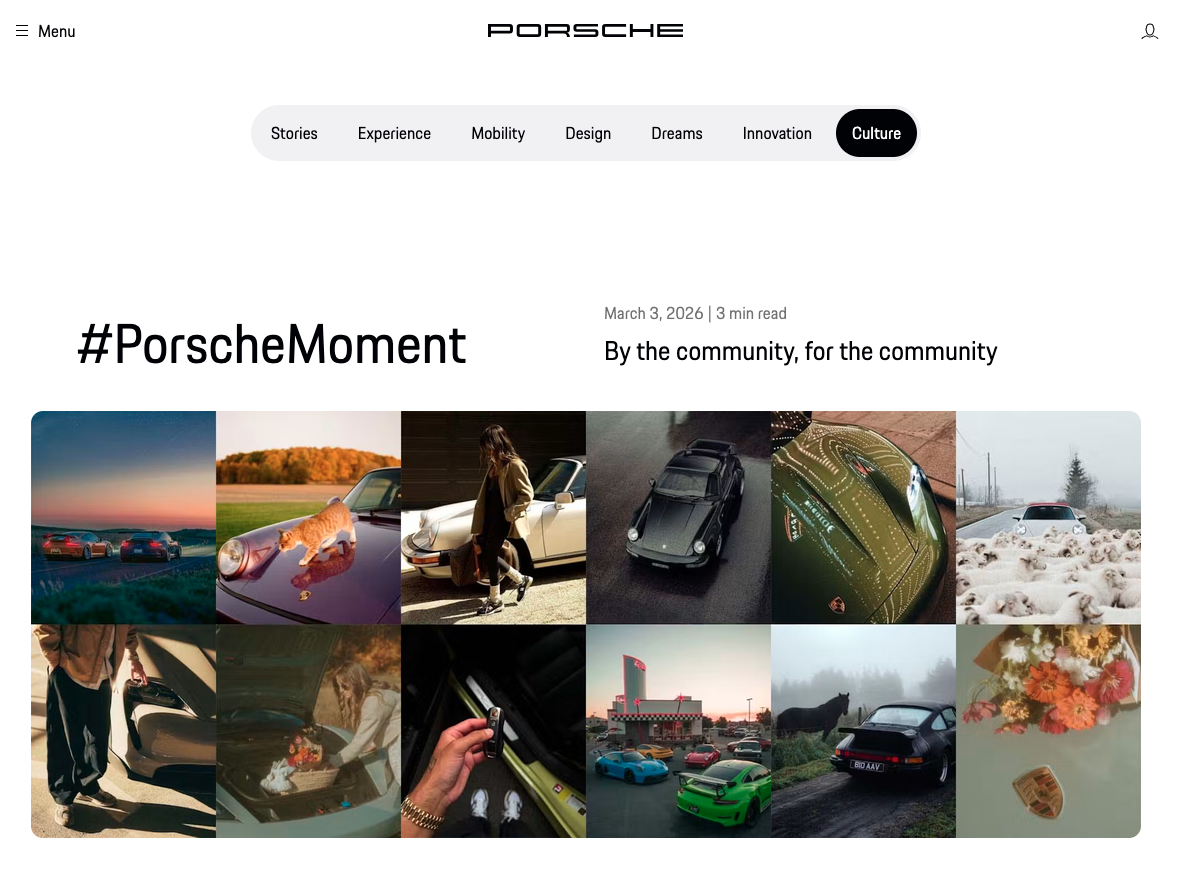
Porsche Moment is a brand storytelling page that invites enthusiasts to share their own Porsche experiences. It combines premium brand positioning with community-driven content—a difficult balance that social feeds handle well when moderation and design are done thoughtfully.
Why it works: Luxury brands often struggle to feel approachable online. Porsche Moment uses real owner stories and photos to humanize the brand without diluting it. The feed gives visitors aspirational yet authentic content—exactly the kind of social proof that supports emotional brand connection.
Takeaway for your site: Brand culture and storytelling pages are ideal for curated UGC feeds. Use moderation to maintain quality and align layout styling tightly with your design system so the feed feels intentional, not bolted on.
Source: porsche.com/stories/culture/porsche-moment
What is a social media feed on a website?
A social media feed on a website is a live or curated stream of posts pulled from one or more social platforms and displayed directly on a page. Instead of linking visitors away to external networks, the content appears on your site and updates as new posts are published.
Depending on your goal, a feed can show brand-owned content, user-generated posts, or a mix of both. For a deeper explanation, see What Is a Social Media Wall?
Common types of social media feeds
Account-based feeds display posts from a specific brand or creator account—common on homepages and about pages.
Hashtag-based feeds collect posts using a campaign hashtag—ideal for contests, events, and launches like GoPro Snow Challenge.
Mention and tag feeds highlight posts where your brand is mentioned—useful for testimonials and social proof.
Curated or moderated feeds let you approve content before it appears—important for brand safety and premium brands like Porsche.
Multi-platform feeds combine Instagram, Facebook, YouTube, X, TikTok, LinkedIn, and more in one unified display.
Where to place a social media feed on your website
Homepage: create a strong first impression and show your brand is active.
Campaign landing pages: surface hashtag content during live promotions.
Community and alumni pages: build belonging with peer-generated content.
Product and service pages: add social proof near decision points.
About and culture pages: tell your brand story through real people and real moments.
Wherever you place the feed, make sure it supports the page goal rather than distracting from it.
Best practices for embedding a social media feed
Match feed colors, spacing, and layout to your website so the embed feels native.
Test on mobile—most social content is consumed on phones first.
Use moderation on paid plans to control what appears publicly, especially for UGC campaigns.
Choose the right feed type for the page—hashtag walls for campaigns, account feeds for evergreen brand hubs.
Review the feed regularly to confirm posts load correctly and still align with brand guidelines.
Surround the feed with clear context so visitors understand what they are looking at and why it matters.
Why social media feeds support engagement and trust
Social feeds do more than fill space on a page. They keep visitors engaged with dynamic, frequently updated content. Seeing real people interact with your brand builds credibility faster than static copy alone.
Embedded feeds also encourage cross-channel participation—when visitors see an active community on your site, they are more likely to follow, post, and contribute. For campaigns and community pages especially, that loop between your website and social channels is where long-term engagement is built.
Related guides
Final takeaway
The best social media feed examples—whether a GoPro campaign page, an educator community hub, an alumni network, or a luxury brand storytelling experience—share the same principle: they put real content at the center of the page and make participation visible.
With SocialMatix, you can build a similar feed for your website in minutes. Sign up for free, connect your sources, and embed your first social wall today.