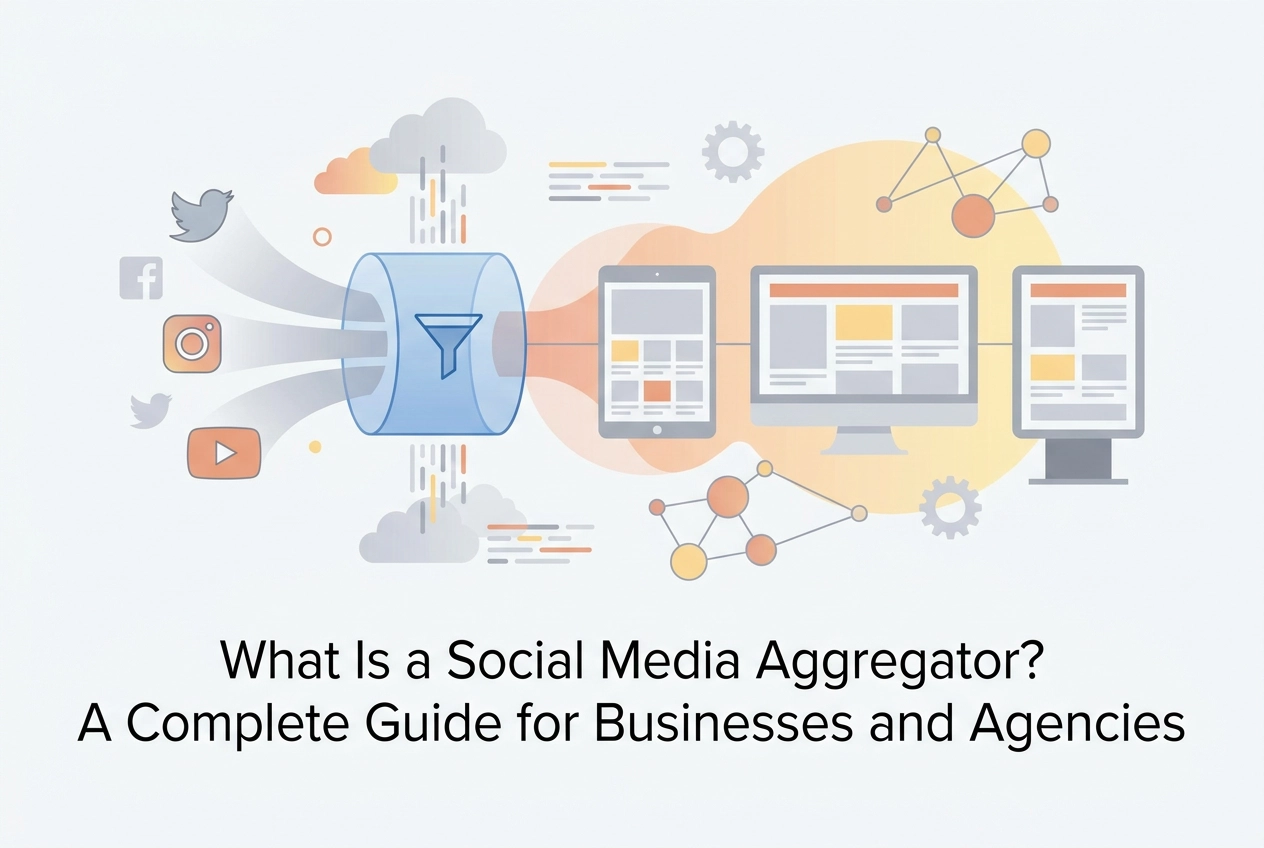
A social media aggregator is a tool that automatically collects posts, images, and videos from multiple social media platforms and displays them in a single, embeddable feed on your website. Instead of managing content separately on Instagram, TikTok, Facebook, YouTube, and LinkedIn, a social media aggregator pulls everything into one unified, moderated stream — keeping your website current without any manual effort.
For businesses, this means a website that shows real, live social proof from real customers. For agencies, it means managing social feeds across dozens of client websites from one dashboard.
This guide covers everything you need to know: how a social media aggregator works, the highest-impact use cases, what to look for when choosing a tool, and how to get your first feed live.
What Is a Social Media Aggregator?
A social media aggregator is a platform that connects to social networks via their APIs and collects content — posts, images, videos, Stories, Reels, Shorts — from the accounts, hashtags, and keywords you specify. It then displays that content in a single, designed feed that you can embed on any webpage.
Here is the one-sentence definition Google's AI Overview pulls from the top-ranking pages: a social media aggregator collects posts, photos, videos, and hashtags from multiple social networks into one unified feed.
SocialMatix takes this further: it merges multiple channels, multiple accounts, and multiple hashtags — including Instagram, Facebook, TikTok, YouTube, LinkedIn, and X — into one beautifully designed feed that automatically stays up to date.
How a Social Media Aggregator Actually Works
Technically, a social media aggregator connects to platforms via their APIs and collects content from the sources you specify. Rather than manually curating posts or updating static content, the tool connects to platforms including Instagram, Facebook, TikTok, YouTube, LinkedIn, X/Twitter, Bluesky, and more, pulling everything together into one cohesive display that can be embedded directly on any webpage. As Walls.io explains in their overview of aggregation, the tool "connects to social media platforms via application programming interfaces (APIs), gathers posts from the sources you specify, like hashtags, accounts, keywords, or mentions, and puts all of your posts together in one place that you can control."
The mechanics work through API connections that retrieve posts, stories, reels, and videos based on criteria you define, such as a specific account handle, branded hashtag, or content type. At regular intervals, or continuously in real time, the aggregator fetches new content from each connected platform, applies any moderation rules you have configured, and surfaces the results through a lightweight widget or embed code. The entire process runs automatically, meaning your website displays fresh, live social content without any manual intervention after the initial setup.
This automatic updating is what sets aggregators apart from traditional social proof methods. Static screenshots and copy-pasted testimonials have a fixed, time-stamped quality that modern consumers increasingly recognise and discount. Dynamic, auto-updating feeds, by contrast, display real content produced by real users in real time, which reads as considerably more authentic and credible. The trust mechanism is straightforward: the content is not coming from the brand itself, it is coming from genuine customers and followers. According to the University of Birmingham IT Innovation Centre's evaluation of social media aggregators, aggregation tools deliver measurable benefits in audience engagement and help organisations surface curated, credible content across their digital properties.
It is also worth clarifying what a social media aggregator is not. It is not a social media management tool. Management platforms are designed for scheduling and publishing, pushing new content outward to your social channels. Aggregators do the opposite; they pull existing content inward and display it on your own properties. If you want to plan and post campaigns, you need a management tool. If you want to showcase what is already being said about your brand across social platforms, you need an aggregator.
The most powerful capability an aggregator offers goes well beyond a simple single-platform embed. Rather than displaying only your Instagram feed or only posts from one account, a full-featured aggregator merges multiple accounts, multiple channels, and multiple hashtags into one unified feed. A retailer, for example, could combine their own branded Instagram account, a campaign hashtag pulling in customer posts across TikTok and X, and a YouTube channel into a single, beautifully presented feed on their website. This multi-source capability is the feature that transforms aggregation from a cosmetic addition into a genuinely strategic tool for building social proof at scale.
7 High-Impact Use Cases for Social Media Aggregators
Now that you understand what a social media aggregator does, the more important question is where it delivers the most value. The seven use cases below represent the highest-impact deployment scenarios, each with distinct operational requirements and measurable business outcomes.
1. Website UGC Showcase
Embedding a live social feed on your homepage or about page transforms static web real estate into a continuously refreshed proof point. Rather than relying on manually curated testimonials that go stale within months, a social media aggregator automatically pulls in new customer photos, reviews, and brand mentions as they are published. This creates a compounding effect: the more customers post, the richer your homepage becomes, with zero editorial overhead. Research consistently shows that 84% of Millennial consumers find UGC more authentic and trustworthy than brand-created content, making an always-on social feed one of the highest-credibility additions any website can carry.
2. Ecommerce Product Pages
Shoppable UGC feeds bring social proof directly to the point of purchase, which is where hesitation is highest and conversion pressure matters most. By linking customer Instagram or TikTok posts to the specific products featured in them, you create a browsable gallery of real-world usage that complements traditional product photography. The data supports this approach: 79% of people say UGC strongly influences their purchasing decisions, and over 90% of marketers report that UGC outperforms traditional branded content. One practical consideration is rights management. Before displaying UGC on a product page, brands should confirm they have obtained explicit permission from the original poster, particularly when that content is connected directly to a purchase flow.
3. Event Social Walls
Live events present a unique aggregation opportunity because the audience is split between people physically present and those following remotely. Aggregating a dedicated event hashtag in real time and displaying it on venue screens, live streams, or event landing pages bridges that gap by turning attendee posts into shared, visible content. This creates a participation incentive: when people see their posts appear on the main screen, they are more likely to continue posting, which amplifies reach organically. Event deployments have stricter operational requirements than standard website embeds; real-time moderation controls and platform reliability are non-negotiable because there is no opportunity to troubleshoot mid-conference.
4. Digital Signage and Out-of-Home Displays
Physical spaces benefit from the same dynamic content logic as websites. Lobby screens in corporate headquarters, retail floor displays, hotel foyer signage, and conference environment screens can all be powered by live social feeds to keep environments feeling current without requiring manual content updates. A SocialMatix feed embedded into digital signage can pull from multiple platforms simultaneously, ensuring the display reflects the full breadth of brand activity across channels rather than a single curated source.
5. Hashtag Campaign Displays
Branded hashtag campaigns generate dispersed content across multiple platforms, and a dedicated hub page that aggregates all of it in one place serves two purposes: it rewards participants by giving their posts visibility, and it demonstrates campaign momentum to prospective customers who arrive later. According to Wiser Review's 2026 social media aggregator guide, hashtag feed access is subject to increasingly tight platform API restrictions, so buyers should verify exactly which platforms and content types are supported before committing to a tool.
6. Agency Client Portfolio Feeds
For digital agencies managing social presence on behalf of multiple clients, a social media aggregator with multi-account dashboard controls is a significant workflow asset. Rather than logging into separate platform accounts for each client, an agency can manage moderation settings, branding configurations, and embed codes from a single interface. SocialMatix is built with this use case in mind, offering per-client controls that allow agencies to maintain clean separation between accounts while operating efficiently at scale.
7. Intranet and Internal Communications
The internal use case is often overlooked, but it is genuinely valuable for larger organisations. Embedding a company's public social accounts or an employee advocacy feed into an intranet or internal communications platform keeps distributed teams connected to brand activity in real time. This is particularly useful during product launches, campaigns, or company announcements where social engagement is high. The setup mirrors a standard website embed; the key governance consideration is deciding which accounts or hashtags to surface, and whether employee-generated content requires an internal approval step before appearing in the feed.
Across all seven scenarios, the common thread is automation combined with control. As LinkedIn's 2026 aggregator tools overview highlights, the best deployments balance live content freshness with moderation safeguards, ensuring that dynamic feeds enhance brand credibility rather than introduce risk.
Why Social Proof From Real Customers Outperforms Branded Content
The data on this question is unambiguous. According to research widely cited across the marketing industry, 79% of consumers say user-generated content highly impacts their purchasing decisions, a figure that consistently outpaces the influence of branded photography, video productions, and paid advertising. Nielsen's research reinforces this further, finding that only 1% of millennials consider conventional advertising credible as a purchase influence. When polished, studio-produced brand content competes with an authentic customer post filmed on a smartphone, the smartphone wins, almost every time.
The Trust Gap Branded Content Cannot Close on Its Own
The reason comes down to perceived self-interest. Consumers understand that branded content exists to sell. No matter how high the production quality, a promotional video carries an implicit disclaimer that the brand chose every word and frame. User-generated content carries no such disclaimer. It exists independently on third-party platforms, posted by real people with no financial stake in the outcome. According to UGC statistics compiled for 2026 marketing strategy, 74% of European customers consider UGC more trustworthy than branded content, and 84% of consumers globally trust brands more when they feature user-generated posts.
Embedding a live, aggregated social feed on a website directly addresses this gap. Rather than asking visitors to take the brand's word for it, the page surfaces real customer posts pulled in real time from platforms like Instagram, TikTok, and YouTube. Because that content visibly exists on external networks, it carries an authenticity that no static testimonial page can replicate credibly.
The Business Case: Conversions, Engagement, and Video
The engagement and conversion data attached to UGC is particularly compelling for ecommerce applications. Research into when and how brands should use UGC indicates that UGC posts generate 6.9x more engagement than standard brand posts, and product pages featuring customer content convert 74% higher than those without. For event marketers, a live social wall displaying attendee posts creates visible community momentum, producing the kind of social validation that drives registration decisions.
Post-2023, the shift toward video-first social proof has added a further dimension. TikTok now records an average engagement rate of 6.1% per post, higher than any other major platform, with YouTube Shorts generating 40% of its watch time from non-subscribers. Short-form video under 45 seconds, showing a product in real-life context without studio polish, consistently outperforms traditional ad formats across both platforms. This has a direct implication for aggregator tools: solutions that surface only static Instagram posts are increasingly incomplete. Surfacing TikTok videos and YouTube Shorts alongside image content is now a baseline requirement for any social proof strategy that reflects how consumers actually behave and share in 2025 and 2026.
What to Look for When Choosing a Social Media Aggregator
Not all social media aggregators are built the same, and choosing the wrong tool can mean locked-in contracts, slow-loading pages, or a feed that looks nothing like your brand. The seven criteria below give you a structured framework for evaluating your options before you commit.
1. Supported Platforms and Channels
Start by mapping the networks your audience actually uses, then verify the tool covers all of them. The established baseline in 2026 includes Instagram, Facebook, YouTube, TikTok, LinkedIn, and X (formerly Twitter), but platform fragmentation means that baseline is no longer sufficient. Newer networks like Bluesky and Threads have grown significantly and your audience may already be active there. Before signing up, confirm which specific content types are supported on each platform, not just the platform name itself. API restrictions have tightened industry-wide, meaning hashtag searches, personal profile feeds, and mention tracking each operate under different rules depending on the network. A tool may claim to support a platform while only offering limited content type access, so clarify this in detail before purchasing.
2. Moderation Controls and Brand Safety
When you display user-generated content publicly on your website, you are responsible for what appears there. Look for tools that offer both pre-moderation (content is held in a queue and only published after manual approval) and post-moderation (content goes live automatically but can be removed after review). Beyond these two modes, keyword blocklists, profanity filters, and spam detection are essential, particularly for hashtag campaign feeds where unvetted public content can appear without warning. Some platforms now incorporate AI-assisted moderation to automatically flag potentially inappropriate posts before they reach your feed. For agencies managing feeds on behalf of clients, robust moderation controls are non-negotiable as any inappropriate content appearing on a client's website reflects directly on the agency.
3. Customisation and Design Flexibility
Your social feed should feel like a natural extension of your website, not an obvious third-party embed. Evaluate whether the tool lets you adjust layout format (grid, masonry, carousel, or slider), colour scheme, card styling, font, and spacing without writing custom code. Template-based theming is sufficient for most businesses and allows non-technical users to manage updates independently. Agencies and developers, however, should check whether CSS-level access is available for pixel-perfect brand matching. According to The Complete Guide to Social Media Aggregation for Small Businesses in 2026, the right tool should require no developer involvement for routine setup or visual adjustments.
4. Website Performance and Core Web Vitals Impact
This criterion is consistently underweighted but increasingly critical as Google's Core Web Vitals directly influence search rankings. A poorly implemented social feed embed can introduce render-blocking scripts, excessive third-party requests, and layout shifts that damage your Lighthouse scores. Ask vendors specifically whether their embed uses lazy loading, asynchronous script execution, and lightweight rendering. Run a Lighthouse test on your page both before and after embedding the feed to quantify any performance impact. A well-built aggregator should add negligible load time on a standard connection.
5. Analytics and Reporting
Useful analytics go beyond a simple impression count. Look for tools that surface engagement rates, click-throughs, and top-performing posts, giving you the data needed to optimise your feed over time. For agencies, the more important question is whether reporting can be packaged or exported for client delivery. Client-facing dashboards or exportable reports save significant time compared to manually compiling data from multiple sources.
6. Embedding Flexibility
Confirm the tool supports your specific CMS or website platform. WordPress, Shopify, Webflow, Squarespace, and Wix each have different embedding requirements, and dedicated plugins simplify the process considerably for non-technical users. A standard JavaScript snippet or iframe should also be available as a fallback for custom-built sites. The goal is a setup process that does not require a developer every time a change is needed.
7. Pricing Structure and Scalability
Pricing models across the market vary significantly: some tools charge per feed, others per website, per connected source, or per account. For a single-site business, almost any model is manageable. For agencies managing feeds across dozens of client properties, the cost structure compounds quickly and deserves careful scrutiny. Request a clear breakdown of what triggers additional charges as you scale, and factor in the cost of adding new social sources or increasing content volume. A tool that appears affordable at one feed can become expensive at twenty.
How Content Moderation Protects Your Brand When Displaying UGC
Displaying user-generated content publicly is one of the most powerful trust signals available to modern marketers, but it introduces a category of brand risk that static content simply does not carry. Understanding how moderation works, and choosing the right approach for your specific context, is what separates a feed that builds confidence from one that causes a crisis.
Pre-Moderation vs. Post-Moderation: Choosing the Right Workflow
The two foundational moderation modes work in fundamentally different ways. With pre-moderation, no content appears on your feed until a human reviewer manually approves it. Every incoming post enters a queue, and only cleared content goes live. This approach eliminates the window of exposure entirely, but it introduces a time lag that may feel out of step with the real-time nature of social media. With post-moderation, content publishes automatically and can be removed after the fact. This keeps feeds current and high-velocity, but it creates a period, however brief, during which harmful or off-brand content may be visible to your audience.
The right choice depends on context. Pre-moderation is the appropriate default for high-stakes, public-facing deployments such as ecommerce product pages or event walls with media coverage, where any harmful content has a direct commercial or reputational cost. Post-moderation is acceptable for lower-risk environments such as internal company intranets or employee advocacy feeds, where the audience is controlled and volume is high.
Common Moderation Features in Modern Aggregator Tools
Leading aggregator platforms now offer layered moderation toolkits that go well beyond a simple on/off switch. Keyword blocklists automatically hide or flag posts containing specified terms, covering competitor brand names, slurs, or off-topic phrases. Account blocklists let administrators exclude content from specific users entirely, which is particularly useful for blocking known spam accounts or adversarial profiles. Profanity filters provide an automated baseline layer that catches explicit language without requiring manual review. As detailed in this complete guide on social media content moderation, these features work in combination to create a multi-layer safety net rather than relying on any single control.
The Branded Hashtag Risk Scenario
A branded hashtag campaign represents one of the most common, and most underestimated, UGC risk scenarios. When your brand promotes a hashtag publicly, it issues an open invitation to every user on that platform, including competitors, trolls, and bad actors. A competitor can post promotional content under your hashtag and have it appear in your aggregated feed. Offensive imagery or language can surface alongside your brand visuals. During a product issue or PR event, negative posts can flood the hashtag and appear directly on your owned website real estate. According to CMSWire's guide to effective UGC moderation, addressing these scenarios proactively is what distinguishes brands that use UGC safely from those that encounter damaging incidents. The practical fix is to switch the hashtag feed to pre-moderation mode during campaign launches, apply keyword blocklists for competitor names, and enable account-level blocking for known adversarial profiles.
Calibrating Moderation Stringency to Context
Brand safety requirements are not uniform across every deployment. A public-facing ecommerce site carries direct revenue implications; a single piece of harmful content visible during a purchase decision can erode conversion rates that UGC was supposed to improve. Digital signage presents a similar risk, as there is no ability to reactively remove content once it is displayed in a physical environment. An internal intranet feed, by contrast, serves a controlled audience with far lower reputational exposure, making lighter post-moderation filtering a proportionate choice.
AI-Assisted Moderation as a 2026 Standard
Artificial intelligence is rapidly reducing the manual burden that high-volume UGC feeds place on marketing teams. Two capabilities are gaining particular traction. Automated alt text generation, now offered as a named feature by leading platforms, signals that image content is being analysed programmatically, laying the groundwork for visual moderation at scale. Sentiment-based filtering uses machine learning to assess the emotional tone of incoming posts and route negative-sentiment content to a human review queue rather than allowing it to auto-publish. According to Coactive's brand safety whitepaper on AI content moderation for UGC, AI-assisted moderation is now positioned as a standard brand-safety layer rather than a premium add-on. For marketing teams managing feeds across multiple channels and campaigns simultaneously, this shift meaningfully changes what is operationally feasible without expanding headcount.

Why Agencies Get Disproportionate Value From Social Media Aggregators
Most social media aggregator tools are built with a single brand in mind: one website, one set of social accounts, one moderation queue. For agencies managing social feeds across ten, twenty, or fifty client websites, that model creates a compounding operational problem that becomes more expensive with every new client onboarded.
The Hidden Cost of Managing Feeds Client by Client
When each social feed is built, configured, and moderated in isolation, the time investment multiplies linearly. An agency managing thirty client websites is effectively running thirty separate workflows: logging into separate accounts, adjusting branding for each client, reviewing moderation queues independently, and pulling engagement data manually for monthly reports. At typical agency billing rates, this overhead is not trivial. It consumes hours that could be directed toward higher-margin creative and strategic work. The operational drag is not obvious at first, but it becomes a serious profitability problem as the client roster scales.
Single Dashboard, Multiple Clients
A purpose-built multi-account aggregator changes this equation substantially. Rather than managing feeds as separate, disconnected projects, an agency can set up, brand, and control feeds for every client from a single login. Per-client controls mean that each feed remains independently configurable, with its own moderation rules, content sources, and visual styling, while the agency retains centralised oversight across the entire portfolio. This structure reduces per-client setup time significantly and eliminates the fragmented login management that makes scaling painful. Agency-focused workflow tools in 2026 are consistently built around this principle, with single-platform multi-client management now a recognised baseline expectation for professional agency tooling.
White-Label Social Walls as a Recurring Revenue Stream
Beyond operational efficiency, the white-label opportunity represents a genuine revenue model. Agencies can deliver a fully branded social wall product to clients under their own agency name, without building proprietary technology. The client sees a polished, professional deliverable tied to the agency's brand. The agency earns a recurring monthly retainer for a service that, once configured, requires minimal ongoing effort to maintain. Given that B2B SaaS gross revenue retention has declined from 88% to 84% between 2022 and 2025, agencies are under real pressure to build stable, recurring income streams. A white-label social wall product is a low-complexity, high-visibility way to add that stability.
Reporting Value That Clients Can See
Analytics are a further differentiator. An aggregator dashboard gives agencies concrete engagement data tied directly to the social feed, including impressions, interactions, and content performance by source. This data becomes a reportable deliverable, giving agencies something tangible to include in monthly client reports rather than relying solely on platform-level metrics. Demonstrating that an embedded social feed is driving measurable on-site engagement strengthens the agency's perceived value and reduces churn risk.
Purpose-Built for Agency Workflows
SocialMatix is designed specifically for this use case. Web development, marketing, and social media management agencies can use SocialMatix to manage feeds across multiple client accounts with per-client controls, moderation settings, and branding configurations from a single platform. This is a meaningful distinction. Most aggregator tools on the market are optimised for single-brand or single-website deployments and offer no meaningful infrastructure for agencies managing feeds at scale. The agency-specific value proposition remains underserved in this category, which creates a clear opportunity for agencies that recognise it early to build a differentiated service offering around social wall delivery.
Website Performance and Core Web Vitals: What Aggregator Embeds Actually Cost You
Most social media aggregator buying guides cover features, pricing, and supported platforms. Almost none address the question that can quietly undermine every other advantage a tool offers: what does embedding a live social feed actually do to your website's performance? In 2026, this omission matters more than ever. Google's Core Web Vitals remain a confirmed ranking signal, and slow-loading pages are now being filtered from Google's AI Overviews entirely, meaning poor performance can cost a page not just its ranking position but its eligibility for AI-generated citations. A 0.1-second delay in load time has been linked to an 8% drop in conversions, framing this as a revenue issue, not merely a technical one.
The specific risks introduced by a poorly built aggregator embed fall into four categories.
Render-blocking scripts are the most damaging. When an aggregator loads its JavaScript synchronously, HTML parsing halts until the script fully executes, delaying how quickly your page becomes visible and interactive. Large image payloads compound this problem: social feeds pull images directly from platform servers, and without lazy loading, those images fire on page load regardless of whether the feed is anywhere near the user's viewport. Third-party request latency adds another layer; every external embed introduces DNS lookups, TCP connections, and TLS handshakes to domains your server does not control. Finally, layout shift is a common and underestimated issue. When a feed container has no defined dimensions, the browser renders the surrounding page without reserving space, then reflows the entire layout once the feed loads. This produces a Cumulative Layout Shift (CLS) violation that can push an otherwise well-optimised page from "Good" to "Poor" status in Google Search Console based on that single metric alone.
A performance-conscious implementation resolves each of these risks systematically. Embed scripts should load asynchronously using async or defer attributes so they do not interrupt HTML parsing. Feed images should implement native lazy loading, fetching off-screen content only when it approaches the viewport. Container dimensions should be explicitly defined using width, height, or CSS aspect-ratio properties so the browser reserves space before content arrives. Assets should be served through a modern CDN with edge caching to reduce latency for users regardless of their location.
Before committing any aggregator to a production website, test its actual performance impact on a staging page. Run the page through Google PageSpeed Insights both with and without the embed active, then compare the scores directly. Pay specific attention to LCP (checking whether a feed image has become the largest contentful element) and CLS (watching for layout reflow caused by late-loading content). Run the test on a mobile profile, since Google's ranking signal is based on mobile Core Web Vitals data at the 75th percentile of real Chrome users, not desktop lab scores. Interactive feed features such as infinite scroll, lightbox overlays, and filter tabs carry additional main-thread costs that affect INP scores, so those should be tested explicitly as well.
The performance gap between well-engineered and poorly built aggregator embeds is significant and measurable. A lightweight, asynchronously loaded feed with lazy images and properly sized containers adds negligible load time to a page. A synchronously loaded widget pulling unoptimised images through a slow CDN can push LCP past the 2.5-second threshold and introduce CLS violations simultaneously. Implementation quality is the determining factor, making it one of the more important criteria to evaluate before selecting a tool.
Platform API Changes and Feed Reliability: What Every Buyer Should Understand
Every social media aggregator on the market, regardless of how polished its interface or competitive its pricing, runs on a single technical dependency: API access granted by the social platforms themselves. Instagram, Facebook, TikTok, X/Twitter, LinkedIn, and YouTube each control the gates through which aggregator tools retrieve content. When those gates change, narrow, or close, the downstream effect is immediate and visible to anyone visiting your website.
This is not a theoretical concern. In recent years, X/Twitter restructured its API access tiers dramatically, introducing paid tiers that eliminated free access for many third-party tools overnight. Meta has repeatedly deprecated Graph API endpoints and tightened authentication requirements for Instagram. TikTok has adjusted its developer API policies in response to regulatory pressure. Each of these changes forced aggregator vendors to rebuild integrations, update authentication flows, and in some cases temporarily suspend support for affected platforms entirely. Buyers who had live feeds on production websites discovered the disruption only when their content stopped loading.
The practical risk for buyers is straightforward: a feed that works reliably today can stop pulling content tomorrow. Instagram's short-lived access tokens expire in as little as one hour and require exchange for longer-lived credentials that themselves must be refreshed before expiry. Rate limits apply across entire applications, not individual endpoints, meaning a high-traffic feed can unexpectedly hit usage ceilings. Hashtag feeds carry their own access restrictions that some vendors do not surface clearly until after purchase. These are not edge cases; they are ongoing operational realities that require continuous engineering attention from every vendor in this space.
When evaluating vendors, buyers should ask direct questions rather than relying on feature lists. Ask how the vendor monitors platform API changes, what their average response time has been when a major platform deprecates an endpoint, and whether they can share their uptime record across the major disruptions of the past two years. A vendor that can answer these questions with specifics is one that treats API maintenance as a core product function rather than an afterthought.
Platform fragmentation adds another layer of complexity. With Bluesky now entering the aggregator ecosystem in 2026, supported by several leading tools, the platform landscape is expanding in directions that were difficult to predict even twelve months ago. Buyers should assess how quickly a prospective vendor added Bluesky support after the platform's growth became significant. Response time to emerging platforms is a reliable signal of how that vendor will handle the next disruption to an established one.
Ultimately, API reliability is a trust and infrastructure question, not a features question. Vendors who invest continuously in API monitoring, authentication management, and rapid platform response are distinguishable from those who treat integrations as a one-time build. For any business embedding a social feed as a live, public-facing element of their website, that distinction is the one that matters most.
What Setup Actually Looks Like: Getting Your First Feed Live

Getting a social media aggregator feed live follows a consistent sequence regardless of which tool you choose. You start by creating an account, then connect your social platform credentials through OAuth authentication, which is a permission-based login flow that grants the aggregator read access to your chosen accounts without sharing your passwords. From there, you select your content sources, whether that is a branded hashtag, a specific company account, or a mix of platforms. You then configure the feed layout, choosing between formats such as a grid, wall, or carousel. Next, you set your moderation rules, and finally you copy the embed code that gets placed on your website. Each step is straightforward in isolation, but doing all of them thoughtfully takes more time than most vendor marketing suggests.
Honest Expectations on Time-to-Value
Some vendors market setup times of under five minutes, and technically that claim is accurate for the most basic scenario: connecting a single source and generating a raw embed code. A production-ready feed is a different matter. When you factor in authenticating across multiple platforms, configuring keyword filters and moderation preferences, customising the visual layout to match your brand, and testing the embed in your actual website environment, a realistic first-time setup lands closer to 20 to 45 minutes. That is not a criticism of any tool; it simply reflects how many meaningful decisions are involved. Setting honest expectations upfront means you approach setup as a focused configuration task rather than a five-minute afterthought.
Embedding Into Your Website
The embed process varies slightly depending on your website environment. On WordPress, you can use a dedicated plugin if one is available, or paste the JavaScript snippet into a Custom HTML block within the block editor. Both routes require no developer involvement for standard placements. On Shopify, the process involves opening the theme editor, adding a Custom HTML section to the relevant page, and pasting the embed code directly. For custom-coded sites, the snippet goes into the page body at the point where you want the feed to appear. SocialMatix is designed specifically for non-technical users, so the embed code it generates works across all three environments without requiring any custom development or back-end configuration.
The Two Decisions That Deserve the Most Attention
Two upfront choices have the greatest influence on how much ongoing work your feed creates. The first is choosing your content sources. Pulling from a branded hashtag captures a wide range of user-generated content but introduces more moderation work because you have less control over what gets submitted. Pulling exclusively from owned accounts produces a cleaner, more predictable feed but limits the volume and variety of content. A cross-platform mix of accounts and hashtags offers the best of both, but requires careful thought about which sources add value versus noise.
The second decision is your moderation approach: pre-moderation versus post-moderation. Pre-moderation means every post requires approval before it appears publicly, giving you complete brand control but creating an ongoing approval task. Post-moderation publishes content immediately and relies on keyword filters and manual removal to catch anything problematic. The right choice depends on your risk tolerance and how actively you can monitor the feed. Getting both of these decisions right at the start prevents the need to rebuild your configuration later.
How SocialMatix Approaches Social Media Aggregation
SocialMatix is a social media aggregator and social wall tool built to serve both individual businesses and agencies managing social content at scale. The platform connects to the major social networks, including Instagram, Facebook, TikTok, YouTube, and more, pulling content from each into a single moderated feed that can be embedded directly on a website. Rather than requiring technical implementation work each time a feed is updated or expanded, SocialMatix handles the collection and display layer automatically, keeping websites current without additional manual effort from the teams behind them.
Multi-channel merging is where SocialMatix offers a practical advantage for organisations running content across several platforms simultaneously. The platform can combine multiple accounts, hashtags, and content types from different networks into one unified feed with a consistent visual design. A business running a branded hashtag campaign on Instagram while also publishing product videos on TikTok and YouTube, for example, can surface all of that activity in a single on-site feed rather than managing separate embeds or leaving the content siloed on each platform. The result is a feed that stays fresh automatically, without requiring a dedicated content production effort to keep the website updated.
For agencies, the workflow is structured around multi-client management. Agencies can maintain separate feeds for each client account, apply individual branding and moderation rules per client, and deliver social wall products as part of a broader service offering. This is meaningfully different from tools designed purely for single-brand use, where the architecture assumes one website, one set of accounts, and one moderation queue. Agencies working across a portfolio of clients need per-client control without the overhead of maintaining separate platform subscriptions for each.
SocialMatix is designed to accommodate both ends of the scale spectrum. A small business launching its first website feed and a larger organisation or agency managing feeds across dozens of client sites can both work within the same platform. For readers who match either profile, it represents a considered option worth evaluating alongside the criteria covered in earlier sections of this guide.
Conclusion: Choosing the Right Social Media Aggregator for Your Needs
A social media aggregator transforms fragmented, platform-specific social activity into a single, continuously updated feed that builds trust and adds genuine value to your website without requiring ongoing manual effort. Done well, it works quietly in the background, pulling fresh content from every connected channel while your moderation rules keep the feed on-brand and brand-safe.
As you evaluate your options, prioritise the criteria that have the greatest practical impact: platform coverage, moderation controls, performance impact on Core Web Vitals, embed flexibility, and whether the tool is built for a single brand or designed to scale across multiple clients. A tool that scores well on features but loads slowly or lacks proper API resilience will cost you more than it saves.
If you manage websites or social content for multiple clients, the agency opportunity here is significant. The right aggregator collapses what would otherwise be dozens of separate workflows into one manageable system, creating a scalable, repeatable service you can confidently bill for.
Before comparing pricing or feature lists, shortlist tools based on your primary use case first. An ecommerce UGC feed, a live event wall, and a multi-client agency dashboard have meaningfully different requirements.
SocialMatix is worth exploring if any of those use cases resonate. You can connect your channels, configure your feed, and have something live on your website or a client site faster than you might expect. Take a look and see for yourself.