
How to Embed Videos on Your Website: 3 Practical Methods
Video is one of the fastest ways to grab attention and keep visitors on your site longer. From product demos to social clips, videos tell stories that plain text cannot match. For marketers and agencies, embedding video content directly on websites is a practical way to improve engagement, trust, and conversion support.
This guide walks through three methods to embed videos on your website: a social media aggregator for multi-platform feeds, drag-and-drop website builders for simple embeds, and manual platform embed codes for maximum control.
Why embed videos on your website?
Boost engagement and dwell time: visitors spend more time on pages with video than text-only pages.
Showcase products and tutorials: demos, walkthroughs, and reviews make offers feel tangible.
Build trust with authentic content: user-generated video from YouTube, TikTok, and Instagram adds credible social proof.
Improve page quality signals: multimedia pages can support stronger engagement metrics that search engines notice.
Method 1: Use a social media aggregator (recommended)
A social media aggregator pulls video content from platforms like YouTube, TikTok, and Instagram into one embeddable feed. This is the best option when you need automatic updates, moderation, branding control, and multi-video display without managing separate embed codes for every post.
Step-by-step with SocialMatix
-
Create a free account. Sign up at SocialMatix and create a new feed for your project.
-
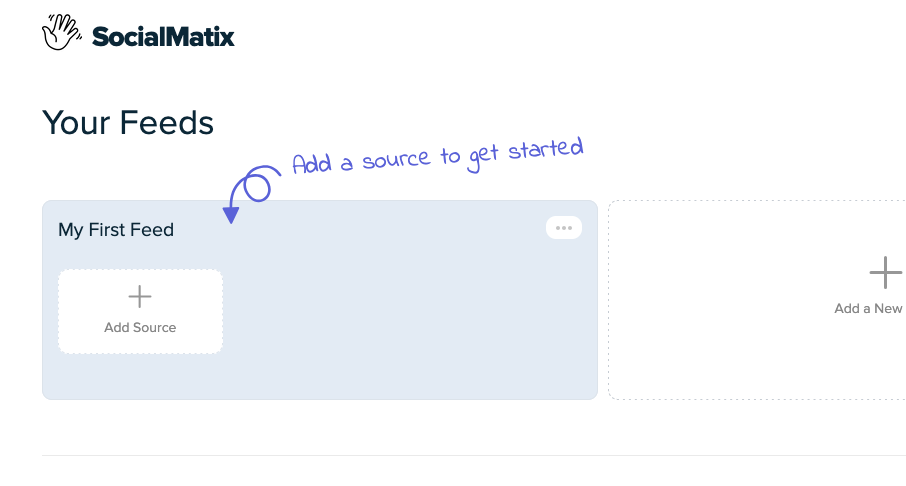
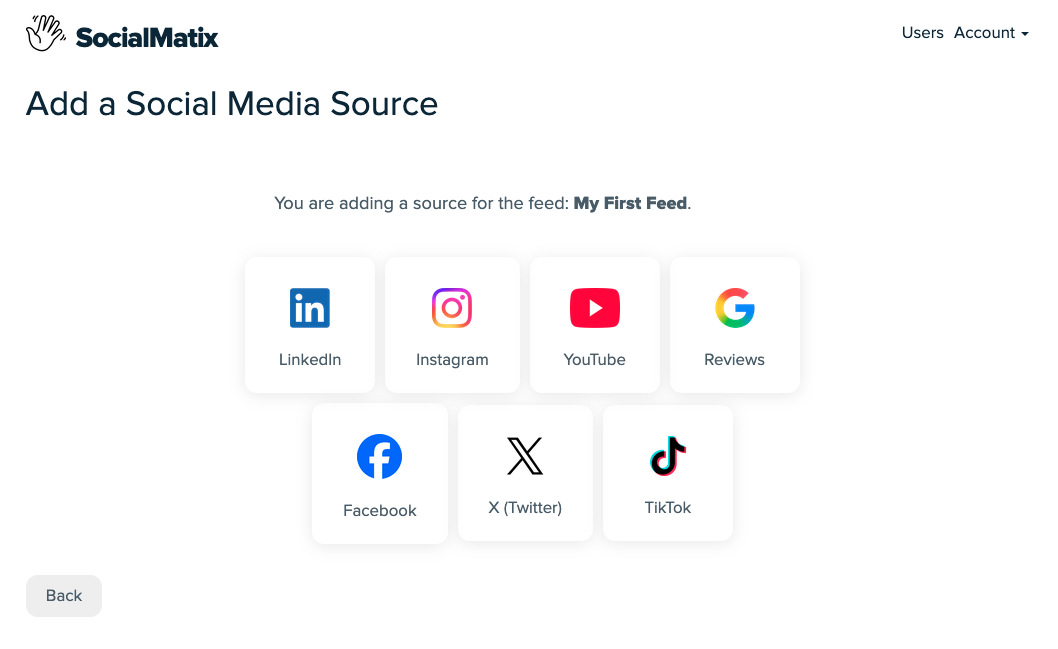
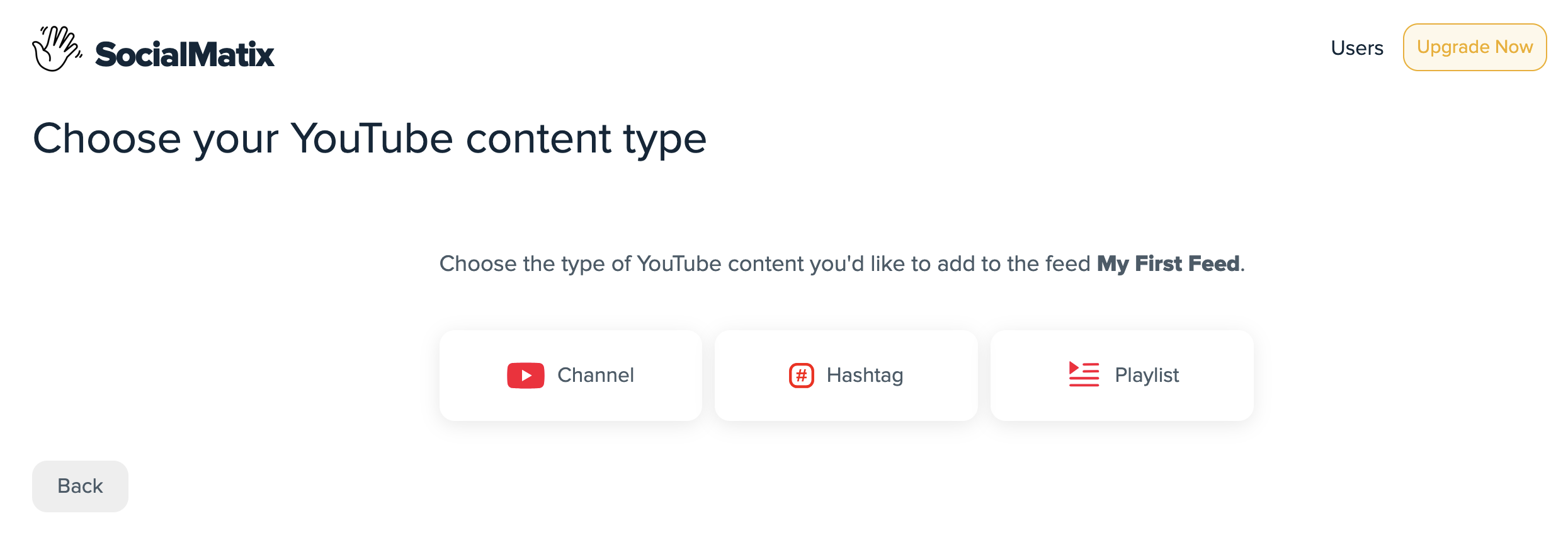
Choose your video sources. Click "Add Source" and connect YouTube channels, playlists, or videos, plus TikTok and Instagram sources where available.
-
Curate your content. Set moderation rules so only approved videos appear on your site. This is especially important for hashtag and user-generated content campaigns.
-
Customize the layout. Match colors, spacing, and display style to your website brand so the feed feels native.

-
Publish your feed. Click "Publish" and copy the embed snippet for your CMS or website builder.
-
Paste and verify. Add the code to your homepage, product page, or campaign landing page, then test on desktop and mobile.

Why this method works best for teams
One embed code instead of separate snippets for every platform.
Feeds refresh as new videos are published.
Moderation controls protect brand quality.
Works across WordPress, Shopify, Wix, Squarespace, and custom sites.
Method 2: Drag-and-drop website builders
Website builders like WordPress, Wix, Squarespace, and Shopify make it easy to embed individual videos without writing code. This approach is best for one-off YouTube or Vimeo clips, but it is less flexible for multi-platform social video feeds.
WordPress
Open the page or post in the block editor.
Add a YouTube or Video block and paste the video URL.
Adjust alignment and width settings.
Preview and publish.
Wix
Open the Wix editor and navigate to your target page.
Add a Video element (YouTube, Vimeo, or Custom Embed).
Paste the video URL or embed code.
Preview and publish.
Squarespace
Edit the page where you want the video.
Add a Video block.
Paste a YouTube or Vimeo URL.
Save and publish.
Shopify
Open Online Store > Themes > Customize.
Select the section or page for your video.
Add a Video block and paste a YouTube or Vimeo URL.
Save and publish.
Limitations to know
Drag-and-drop builders are simple for single videos, but they are not ideal for managing many videos across YouTube, TikTok, and Instagram in one place. They also do not auto-refresh social feeds or provide moderation workflows at scale.
Method 3: Manual embedding with platform codes
Manual embedding gives you direct control by pasting platform-provided HTML into a custom code block. This works well for one specific video, but requires more maintenance when you want to keep content current.
Embed a YouTube video
Open the YouTube video and click Share > Embed.
Copy the HTML embed code.
Paste it into a Custom HTML or Code block on your site.
Save and preview the page.
Embed a TikTok video
Open the TikTok video in a browser and click Share > Embed.
Copy the generated embed code.
Paste it into a Custom HTML or Code block.
Save and preview on desktop and mobile.
Embed an Instagram or Facebook video
Open the post in a desktop browser.
Click the menu (three dots) and select Embed.
Copy the embed code.
Paste it into a Custom HTML or Code block and save.
Which method should you choose?
Social media aggregator: best for brands and agencies that need multi-platform video feeds, moderation, and automatic updates.
Drag-and-drop builders: best for quick one-off YouTube or Vimeo embeds with minimal setup.
Manual embed codes: best when you need a specific video on a specific page and do not need feed automation.
What to avoid when embedding videos
Overloading pages with too many embeds, which can slow load times.
Autoplay with sound enabled, which often hurts user experience.
Skipping mobile testing before launch.
Using outdated or broken embed links.
Placing videos without context, captions, or a clear reason to watch.
Frequently asked questions
How do I embed videos on my website?
You can embed videos using a social media aggregator, your website builder's video block, or manual embed codes from platforms like YouTube, TikTok, and Instagram.
Can I embed a video in HTML?
Yes. Add a Custom HTML or Code block in your site editor and paste the platform embed snippet.
What is a video embed code?
It is an HTML snippet provided by a video platform that lets you display and play content directly on your website.
How can I embed videos for free?
Most platforms provide free embed codes for individual videos. SocialMatix also offers a free plan for building and publishing social video feeds on your website.
Can I combine YouTube, TikTok, and Instagram videos in one feed?
Yes. A social media aggregator like SocialMatix lets you combine multiple video sources into one branded feed with a single embed code.
Final takeaway
Embedding videos on your website does not have to be complicated. For one video, use your builder or a manual embed code. For a scalable, moderated, multi-platform video feed, use a social media aggregator and launch in minutes.
Ready to embed video content on your website? Sign up for free with SocialMatix and publish your first video feed today.